Write the program once — lifts, metcons, runs — and it lands in your athlete's iPhone app and keeps itself up to date. Then review the whole athlete: every set, every run, and the heart rate behind both, next to what you prescribed.
The coach portal runs in any browser, phone included. Your athletes use the free Crucible iPhone app.
One living program per athlete, not weekly PDF exports. Every leg of the loop feeds the next.
Build weeks on a left-to-right board with real dates. Prescribe lifting exactly — per-set reps and RPE, top singles with % back-offs, tempo, supersets. Paste a metcon as free text and say what score you want back. Add run days: easy, long, tempo or intervals, by time or by distance. Flag any set with 🎥 when you want to see it.
Hit “Send update” and the athlete's copy updates in place — finished days and history are never touched. Run days reach athletes on Crucible 1.3.1 and later, rolling out now.

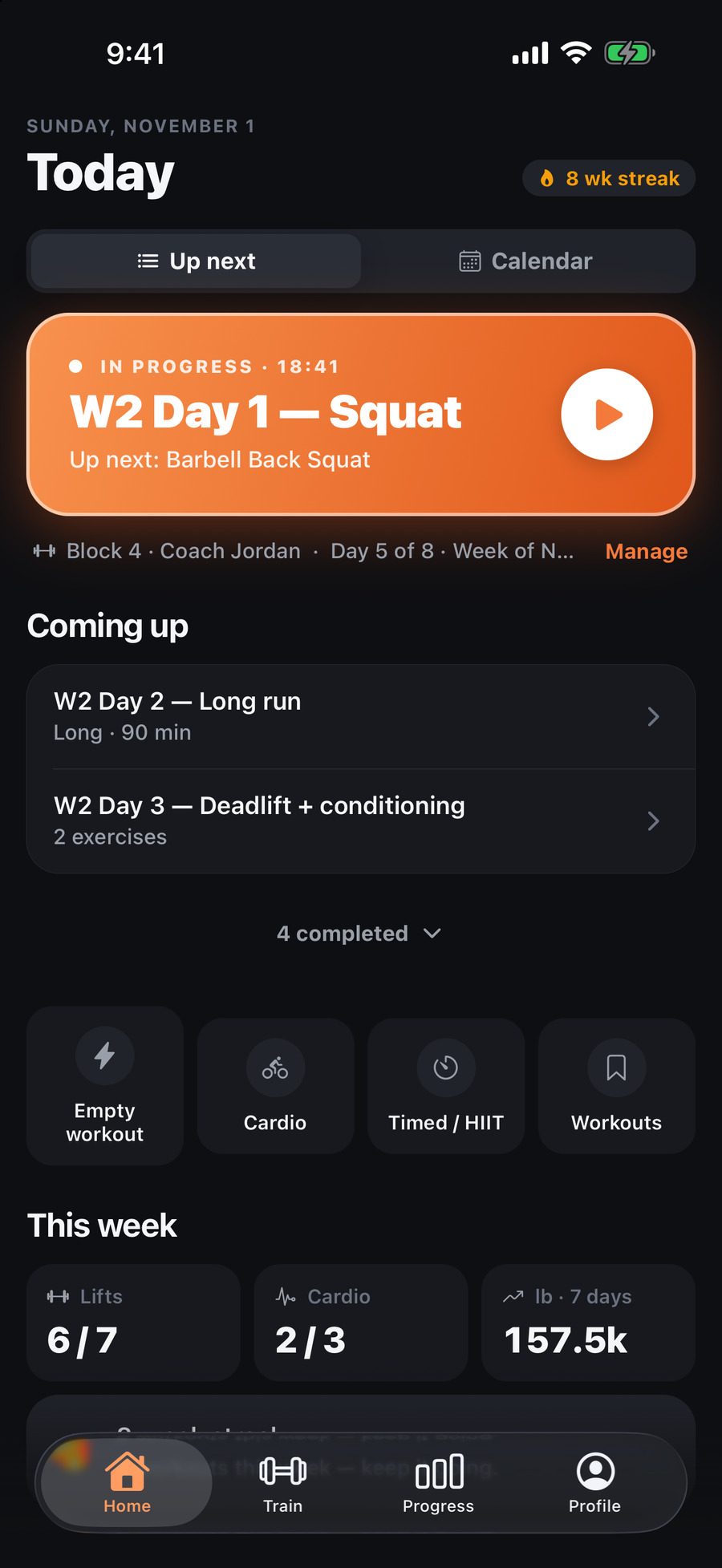
Your athlete opens the app and today's session is on Home with your name on it — no re-import, no “make this active” busywork. A lifting day logs every set the way serious lifters do: weight, reps, RPE, PRs detected automatically. A run day opens the guided runner — GPS distance, pace and mile splits, the clock on the Lock Screen, auto-pause at the lights. A metcon gets a built-in timer and a scored result.
Mid-week change? Send it. Their finished days stay exactly as trained; only what's ahead updates.
Every set you flagged shows an unmissable strip in their logger. One tap records (or picks from the library), the native trimmer cuts to just the set, and it uploads straight to you — pinned to that exact set.
No text threads full of unlabeled videos. Every clip arrives already labeled with the lift, load, reps and date.

Finished lifting days lock into a review on the board: every set you wrote beside every set they did — load, reps, RPE, PRs — with ▶ video sitting on the set it belongs to. Runs come in with GPS distance, pace, mile splits, the route and heart rate. Apple Watch and WHOOP heart rate sits on every session — average, peak, time in zones, strain — and the ride they logged on Sunday is there too.
Weekly check-ins add their words — your questions, their answers — to a week you can already see. Then duplicate the week, adjust, send. The loop closes where it started.
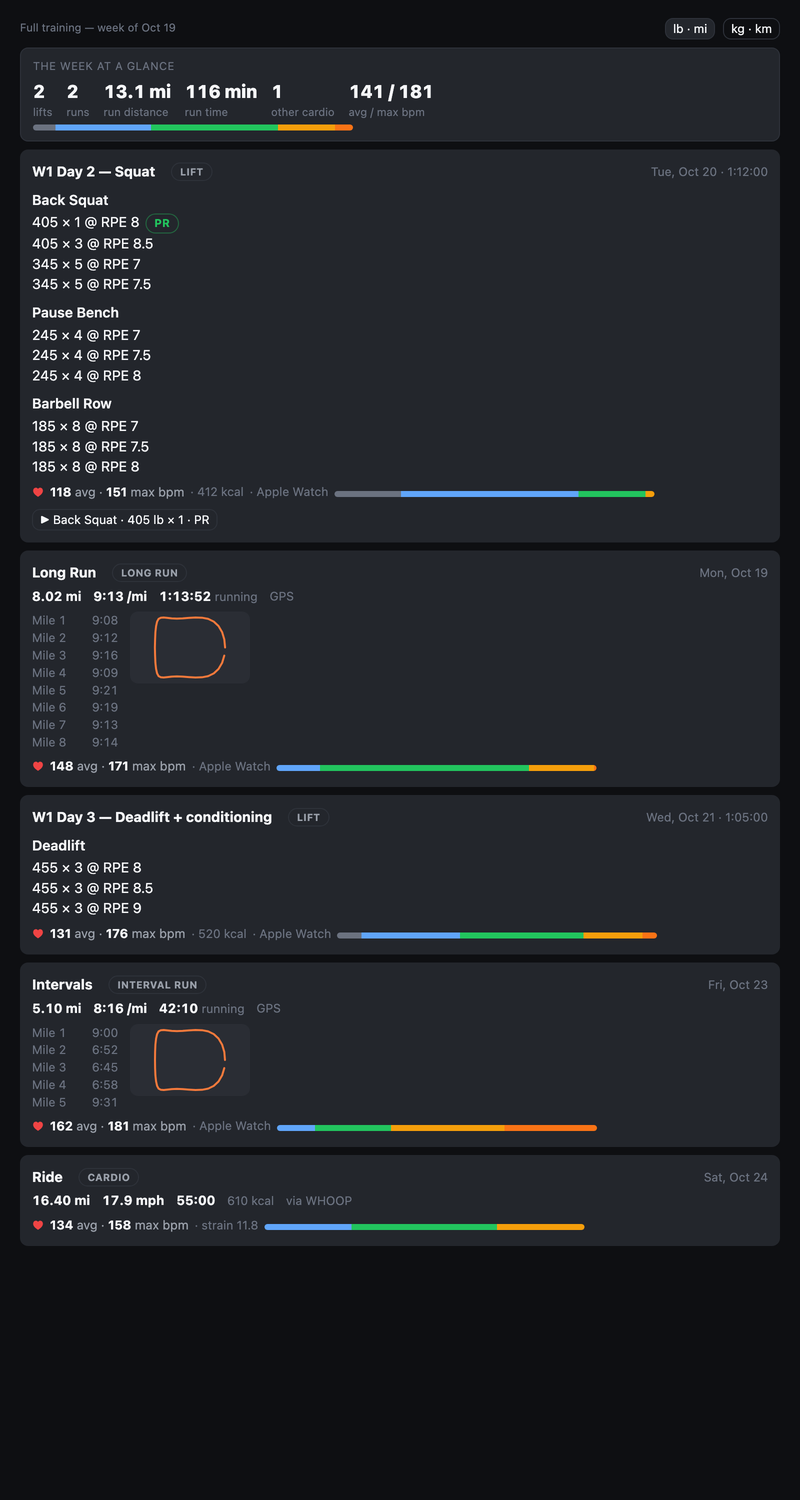
Everything the athlete logs in Crucible is yours to read while the link is active — straight from their synced training data, never re-typed.
Their display name, the programs on their account, every logged workout (sets, reps, loads, RPE, notes, PRs), their runs and cardio logs (distance, pace, splits, routes, source), the heart-rate summary attached to each session, the set videos they send you, and their weekly check-ins. Not their email, password, purchases, or anything they haven't synced. Access ends the moment either side revokes the link.
Lifting with per-set reps and RPE, top-set singles with percentage back-offs, tempo and supersets; metcons as free text (For Time, AMRAP, EMOM, rounds) with a time or rounds-and-reps score; and run days — easy, long, tempo, recovery or intervals, by time, distance or a rep scheme, with a walking warm-up and cool-down. Run days need Crucible 1.3.1 or later on the athlete's phone; the portal tells you so when you add one.
Today, yes: receiving a program requires Crucible Pro. That changes in the next app update — a program sent by a linked coach will land without a subscription. Heart-rate features (Apple Watch app, WHOOP, zones) stay part of Pro.
Nothing during the beta. Founding coaches use everything free while we build with them, and we'll talk to you before anything about that changes.
Settings → turn on email notifications and pick the events: a check-in submitted, a set video uploaded, an invite accepted. One email per event, with the essentials in it and a link to the portal. Athletes are never emailed by the portal; your replies and updates show up in their app.
Clips are stored privately and viewable only by you and the athlete through short-lived signed links. They're deleted 90 days after upload, and the moment a link is revoked nobody can open them.
Yes — the portal reads on a phone (the board scrolls week by week). Building a block is still nicer on a laptop.
To shape the portal around how real coaches program hybrid athletes — lifting and running in one plan — before we open it up. You'll have a direct line to the people building it, and what you ask for tends to ship.
We're onboarding a small group of coaches and shaping the portal around their real programming — lifting, running, or both. Tell us a little about who you coach and we'll reply within a few days from support@trycrucible.app with your invite.
 Crucible