 Crucible
Plan the week once
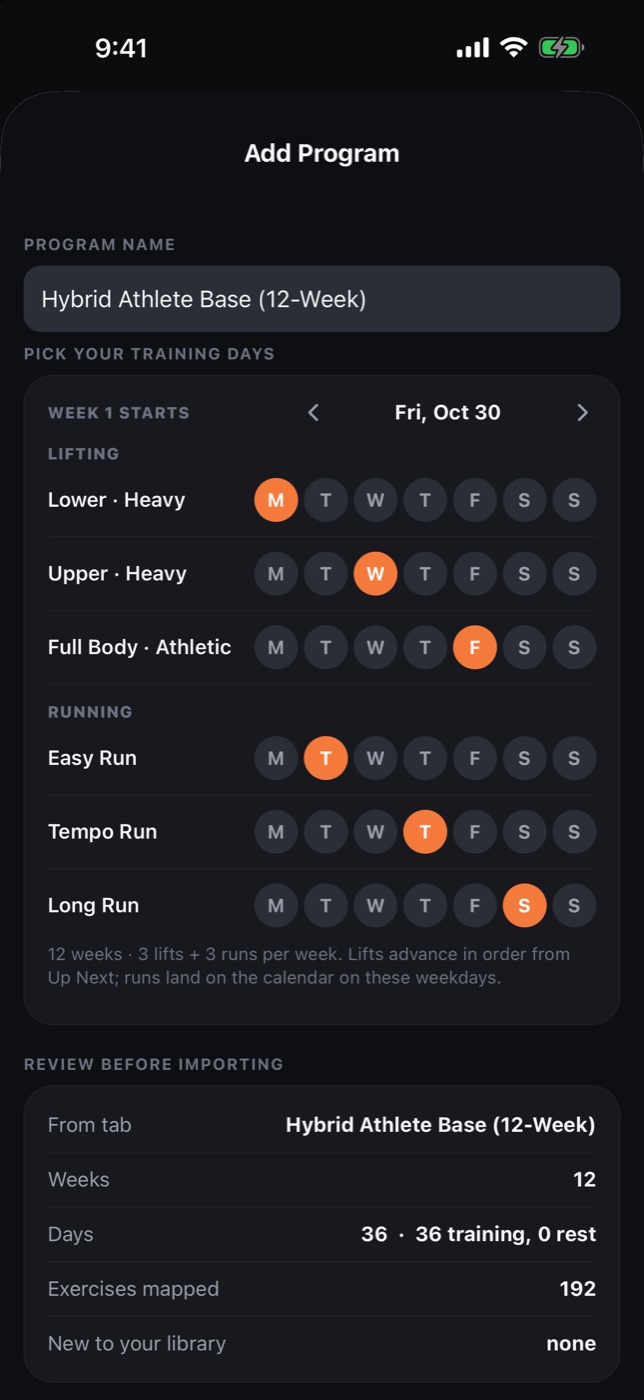
Pick your lifting days and running days. The planner flags conflicts before anything lands on the calendar.
Crucible turns any written program into a live training app. Import your coach's spreadsheet or a classic like 5/3/1, add a running plan, and see the whole week on one calendar. Log every set with RPE, run with voice cues, and let your Apple Watch or WHOOP fill in the heart rate.
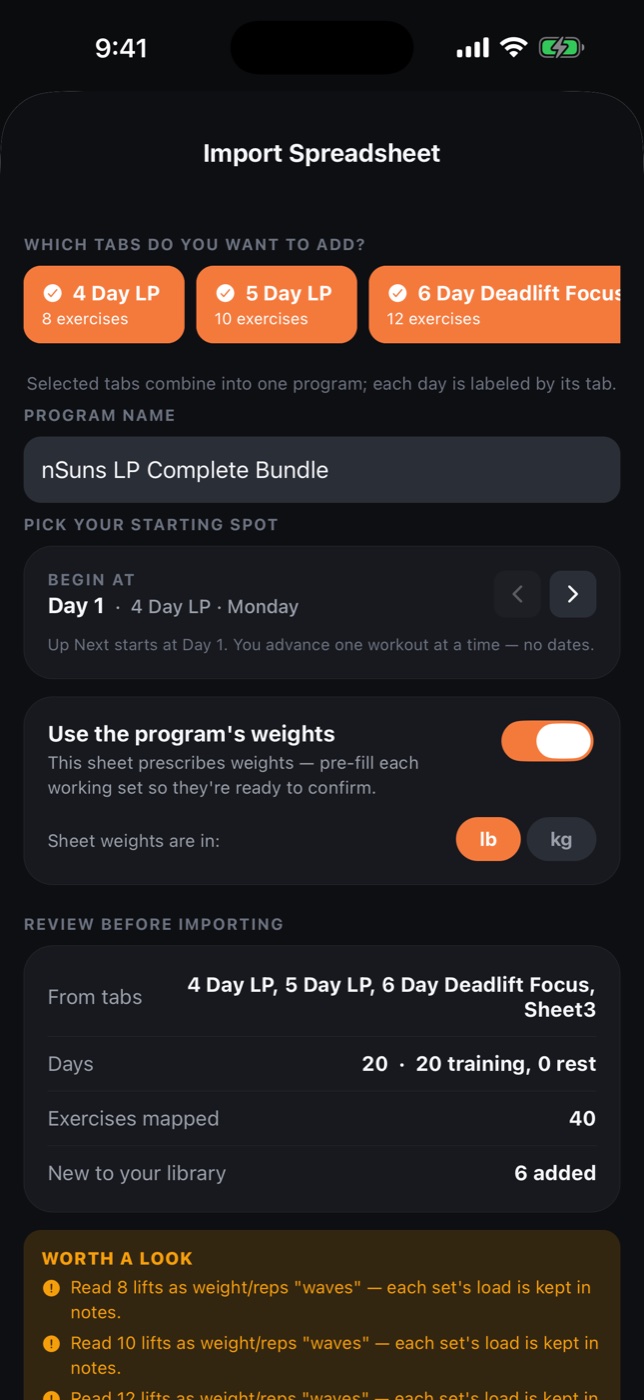
Most trackers make you rebuild your program by hand, row by row. Crucible is built around import. Point it at an .xlsx or .csv, even a messy one, and it reads your days, exercises, sets, rep ranges and rest, then shows you a review before anything is saved.
Pull 5/3/1, nSuns, PHUL, GZCLP or Reddit PPL from a free library like LiftVault and import the spreadsheet as it comes. Most LiftVault programs import cleanly with no edits, and the review step catches the rest. We link out; we never rehost anyone's program.
The spreadsheet your coach sends each block, imported in seconds. Or link with a coach on Crucible and skip the file entirely.
Load it once and track every session against it. Any spreadsheet layout works. Selling programs? Use the Crucible import template for the cleanest imports.
It reverses Excel's habit of turning “3×5” into a date, groups multi-week blocks, and creates unknown exercises automatically.
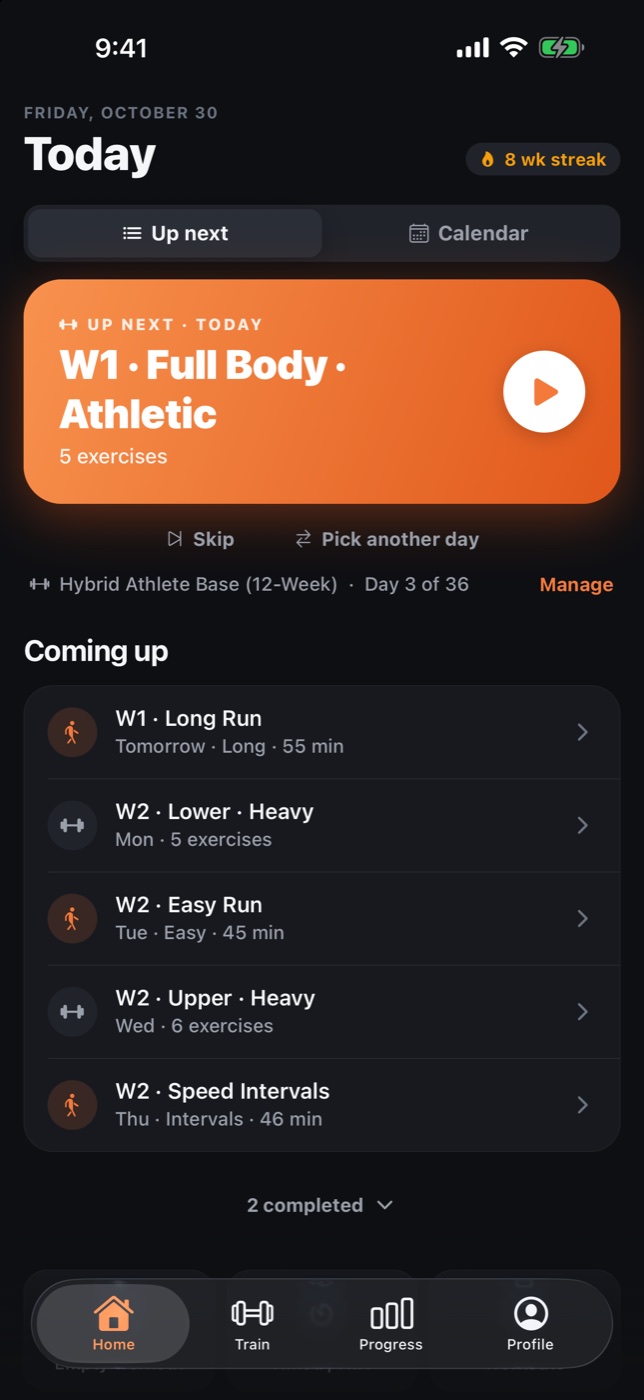
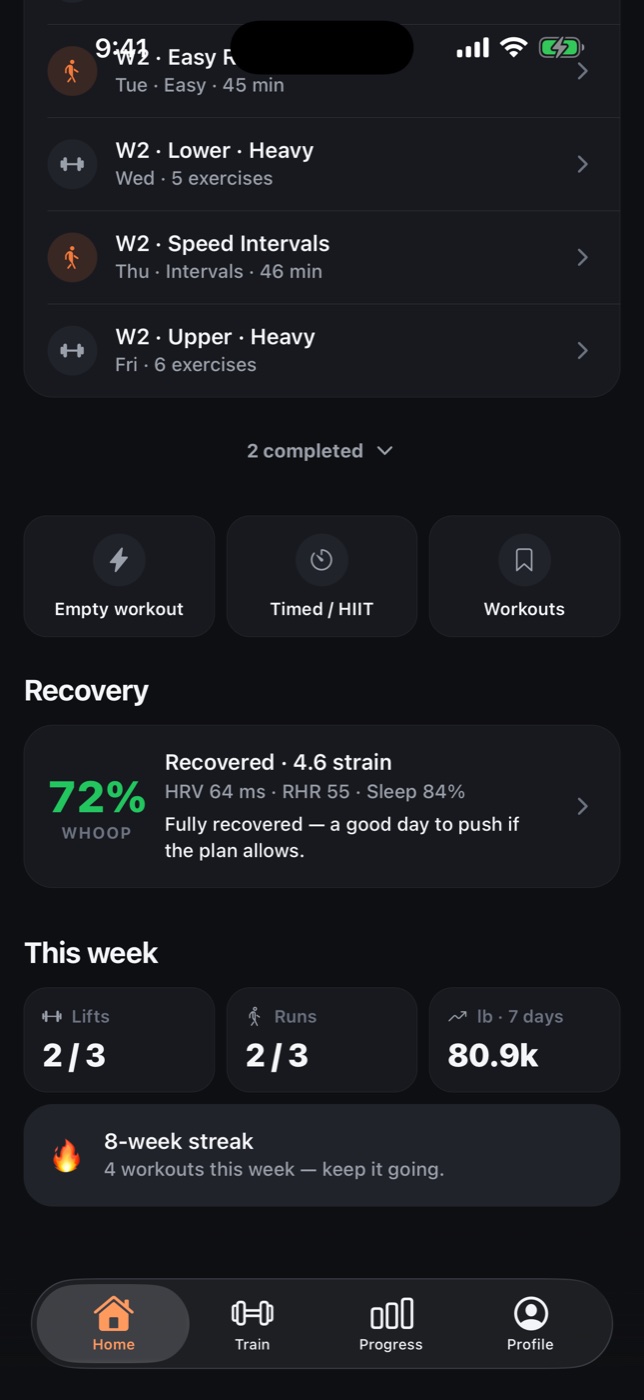
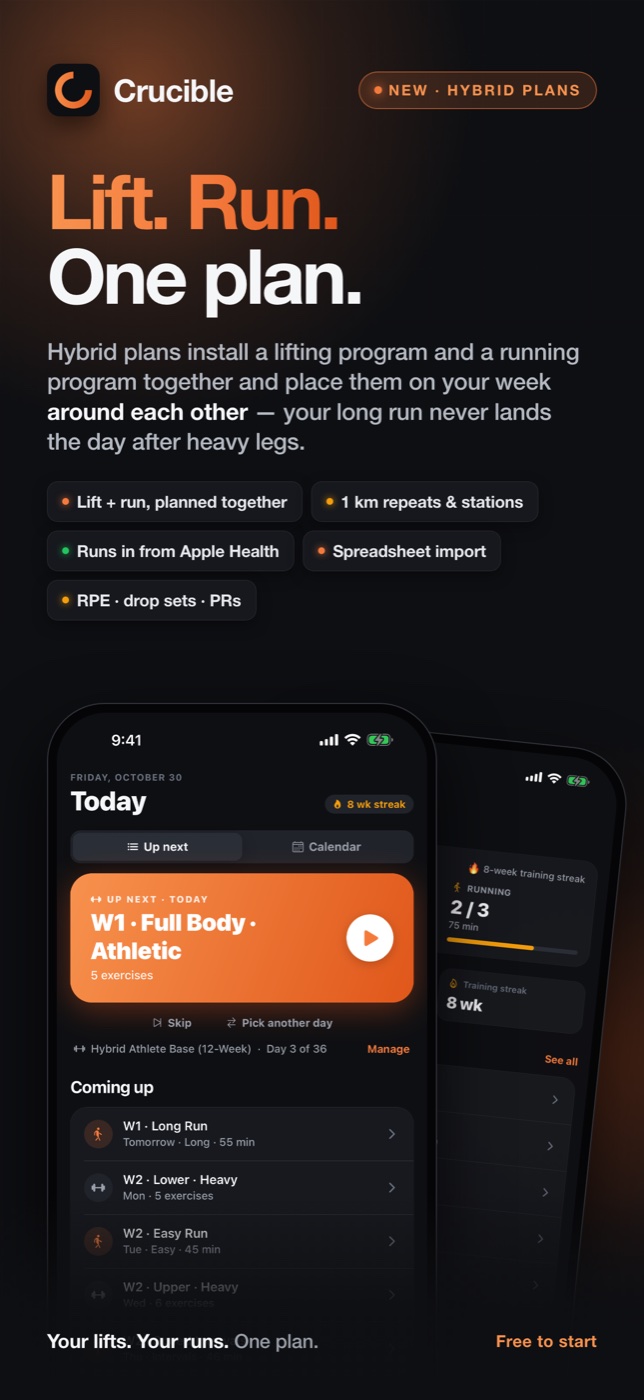
Install a lifting program and a running plan together and Crucible lays them out on one calendar. No double days, no guessing what's next. Home shows the one thing that's up, whether it's a heavy lower day or a long run.
Pick your lifting days and running days. The planner flags conflicts before anything lands on the calendar.
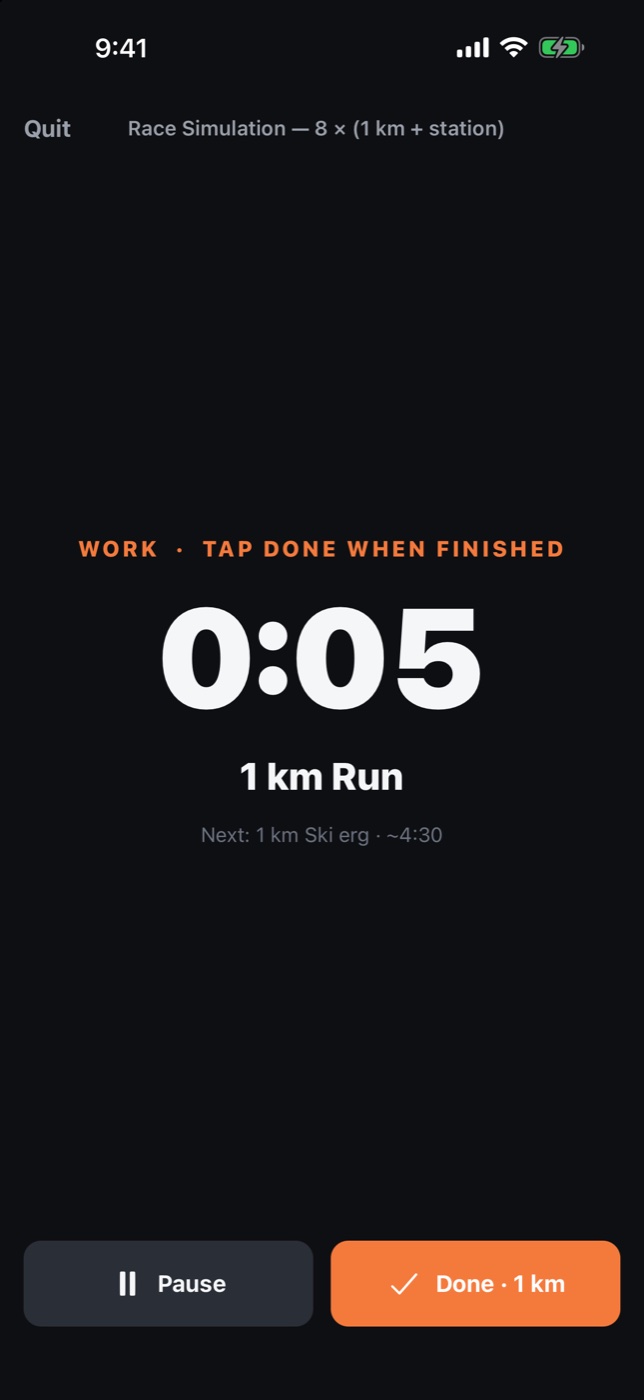
1 km repeats, stations and race simulations counted up with a voice count-in and cues. Easy runs get a target zone.
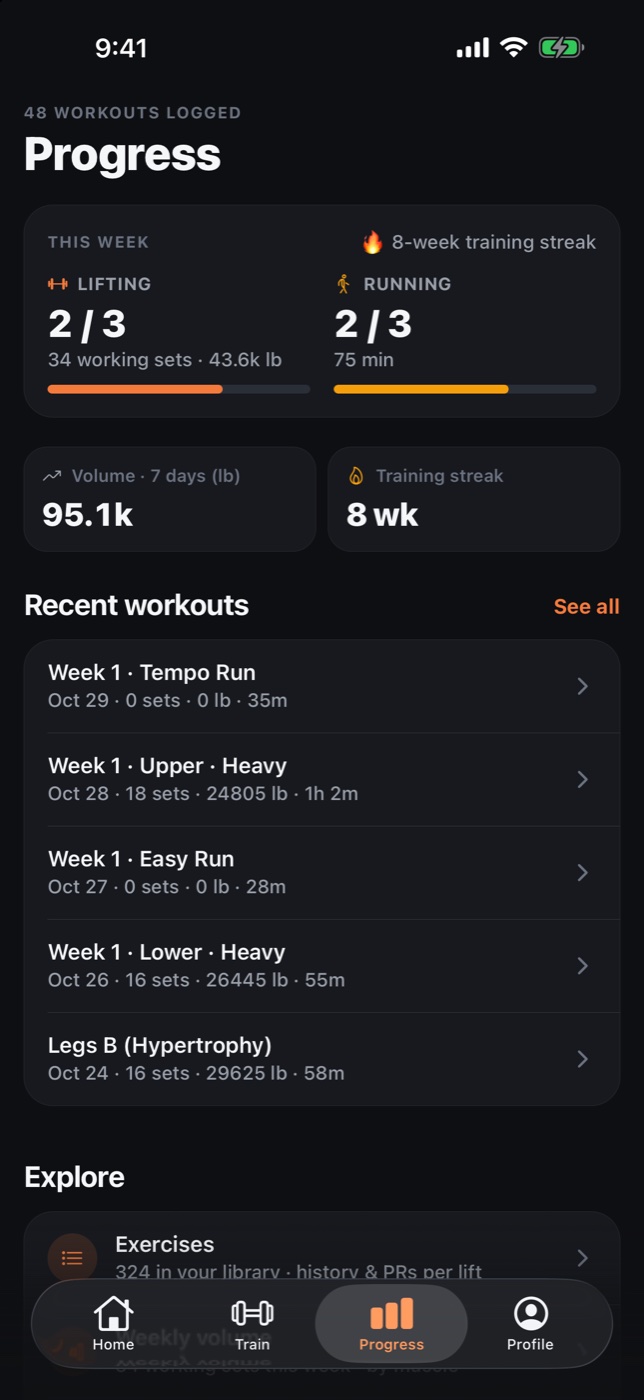
Progress splits the week into lifting and running, with a single training streak across both.
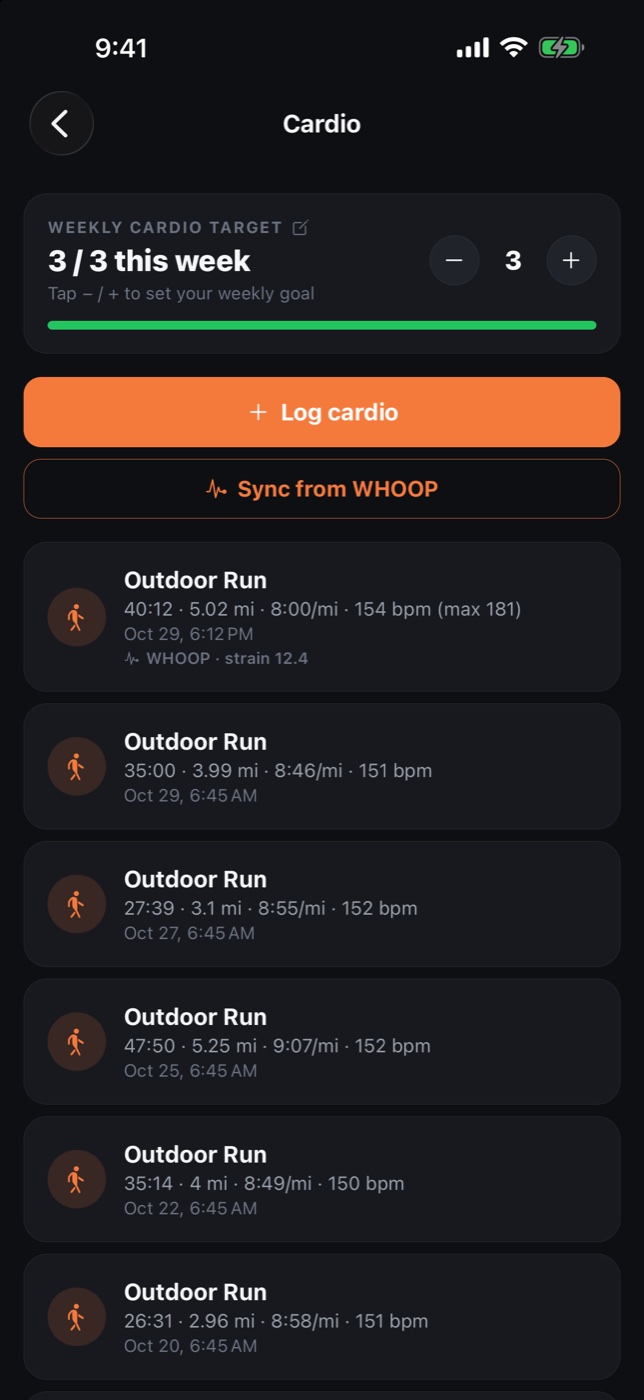
Runs recorded on your Apple Watch, Strava, Runna, Garmin or Nike Run Club arrive through Apple Health and complete the planned run automatically. Read-only, and free.
Two sources, one pipe. The Crucible app for Apple Watch streams live heart rate while you train. WHOOP brings recovery, strain and heart rate for everything it records. Zones, time in zones and a target for every run come with either.
Start a run or a lifting session on your iPhone and the Watch opens a workout with it. Live bpm and zone on your wrist and in the runner, a tap when you drift out of the target zone, and the workout saved to Apple Health.
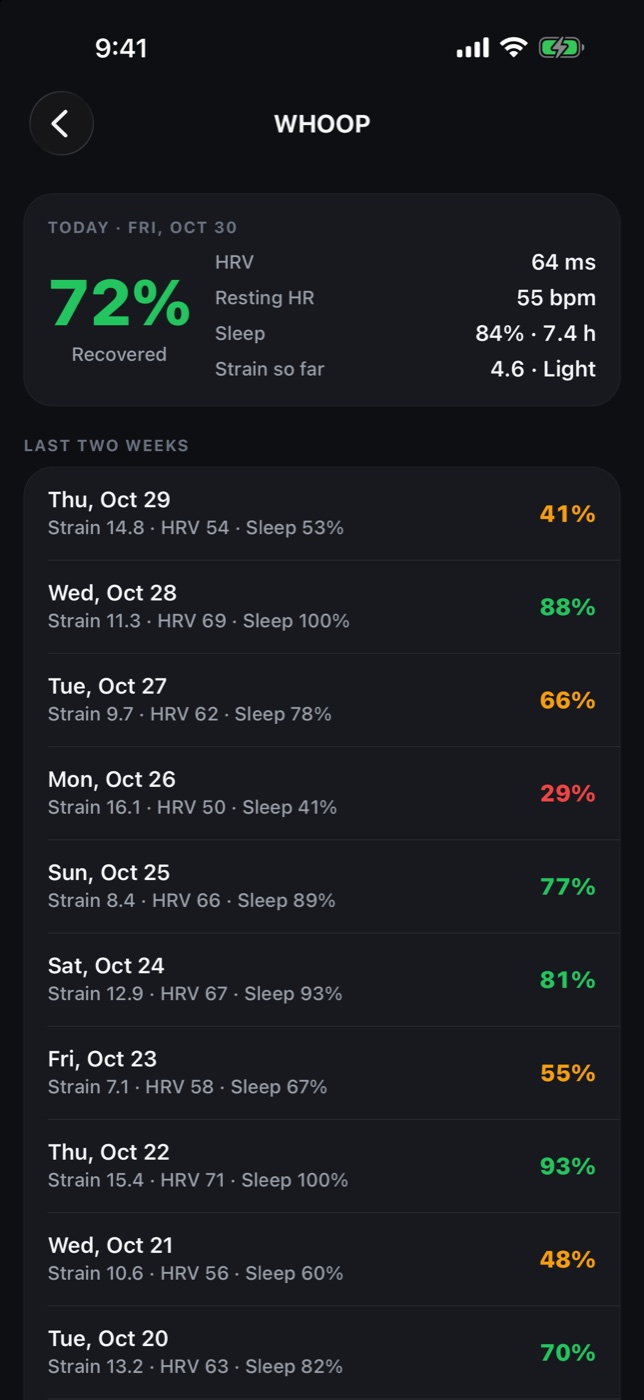
Connect once and every WHOOP run, ride, row or lift lands with heart rate and strain. Recovery, HRV, resting heart rate and sleep show up on Home each morning, with a read on whether to push or ease today. Turn on Broadcast Heart Rate and the band streams live, too.
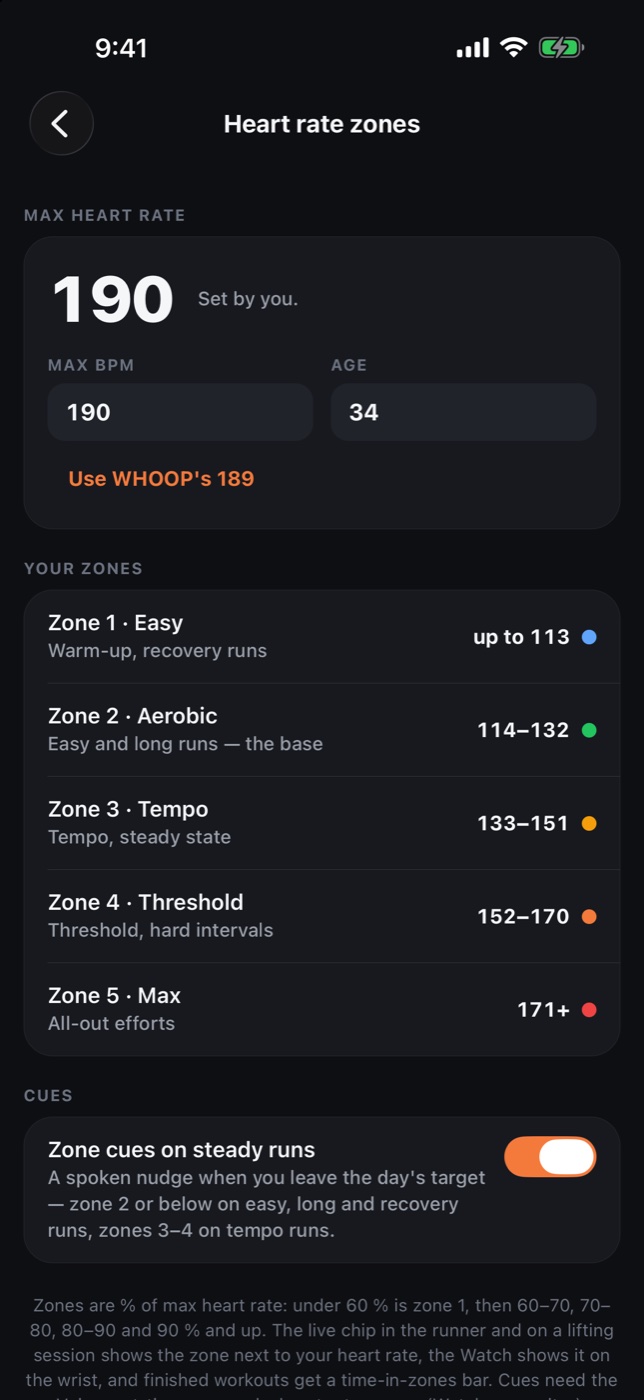
Set your max heart rate, or your age, and Crucible gives you five zones, a target zone for every run type, a spoken nudge when you leave it, and a time-in-zones bar on the done screen.
Heart rate features are part of Crucible Pro. Runs from Apple Health, without heart rate, stay free.
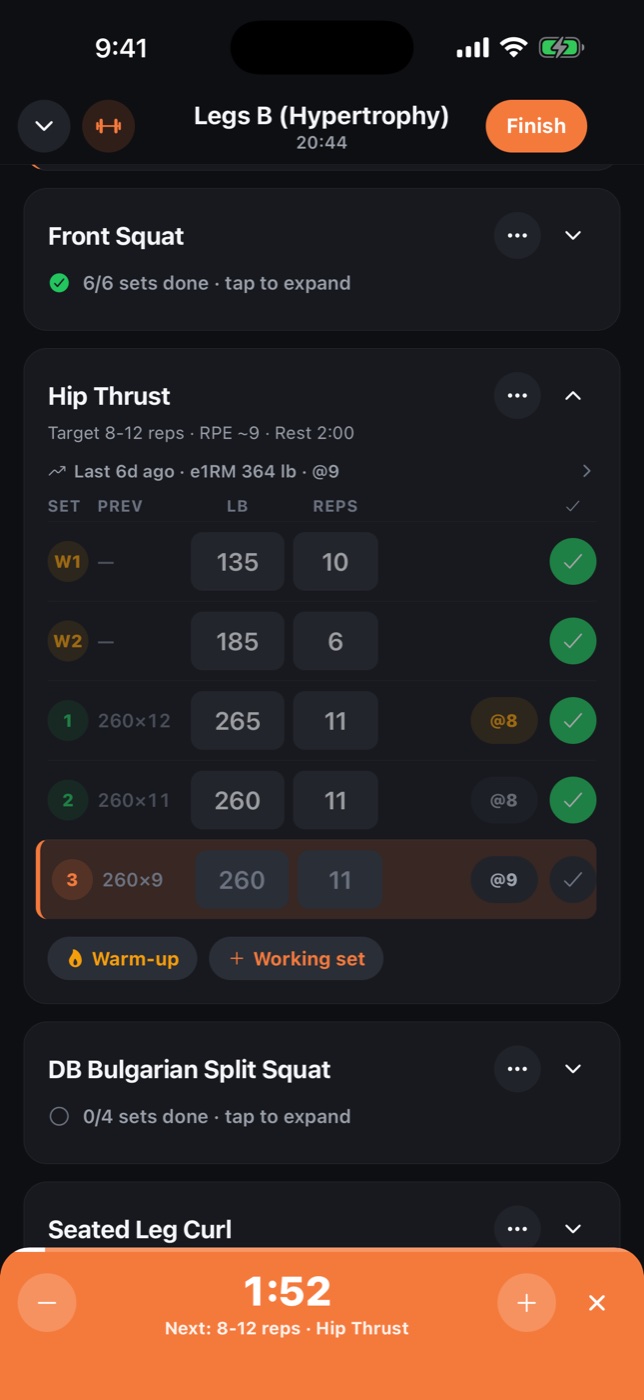
The set you're on stays front and center. Everything else, from the rest timer to the plate math, is one tap away.
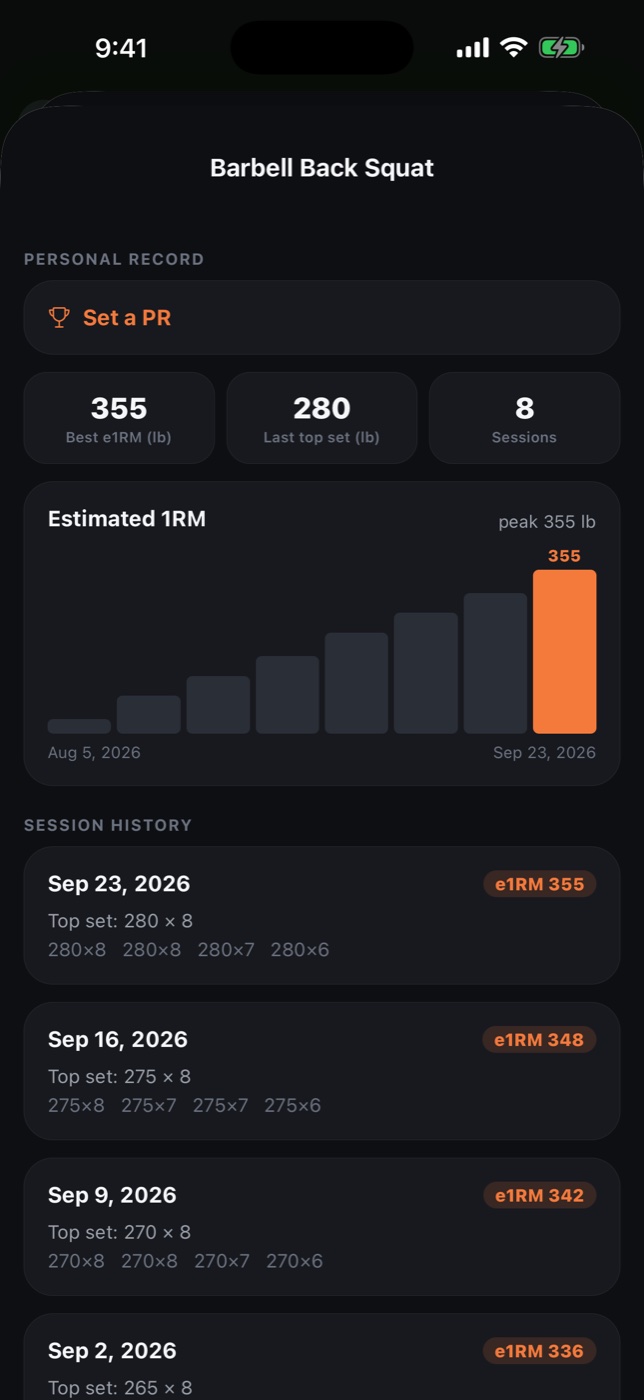
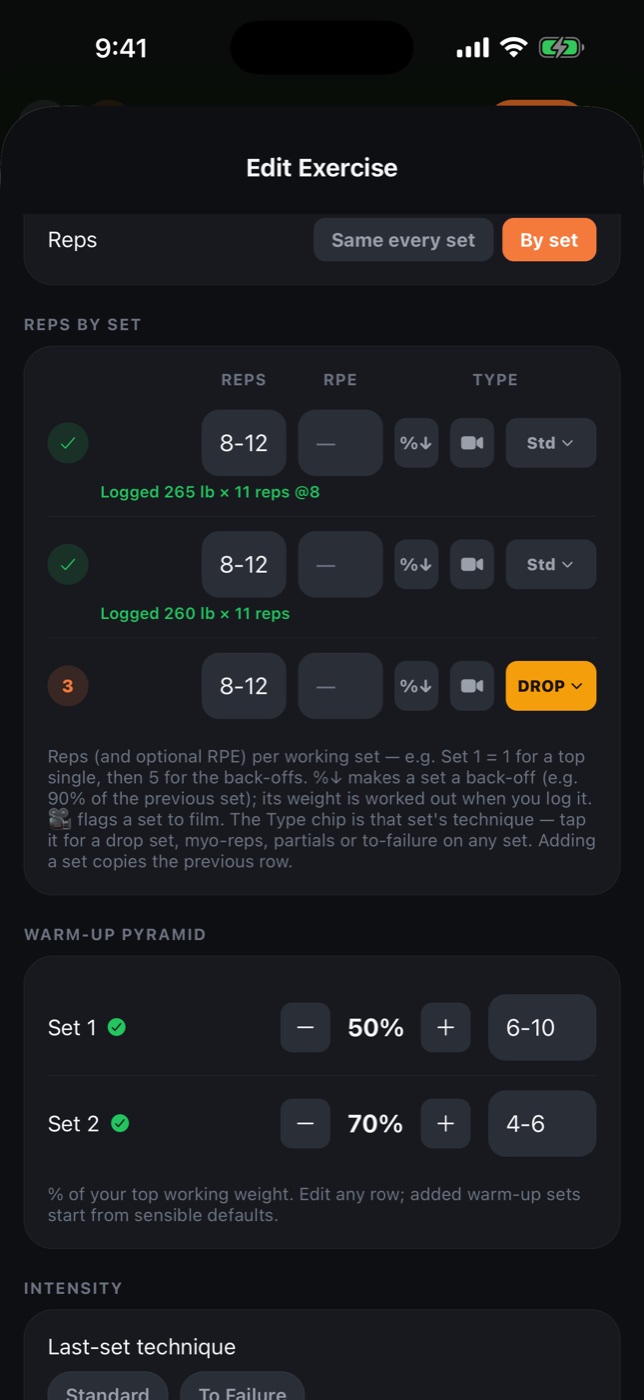
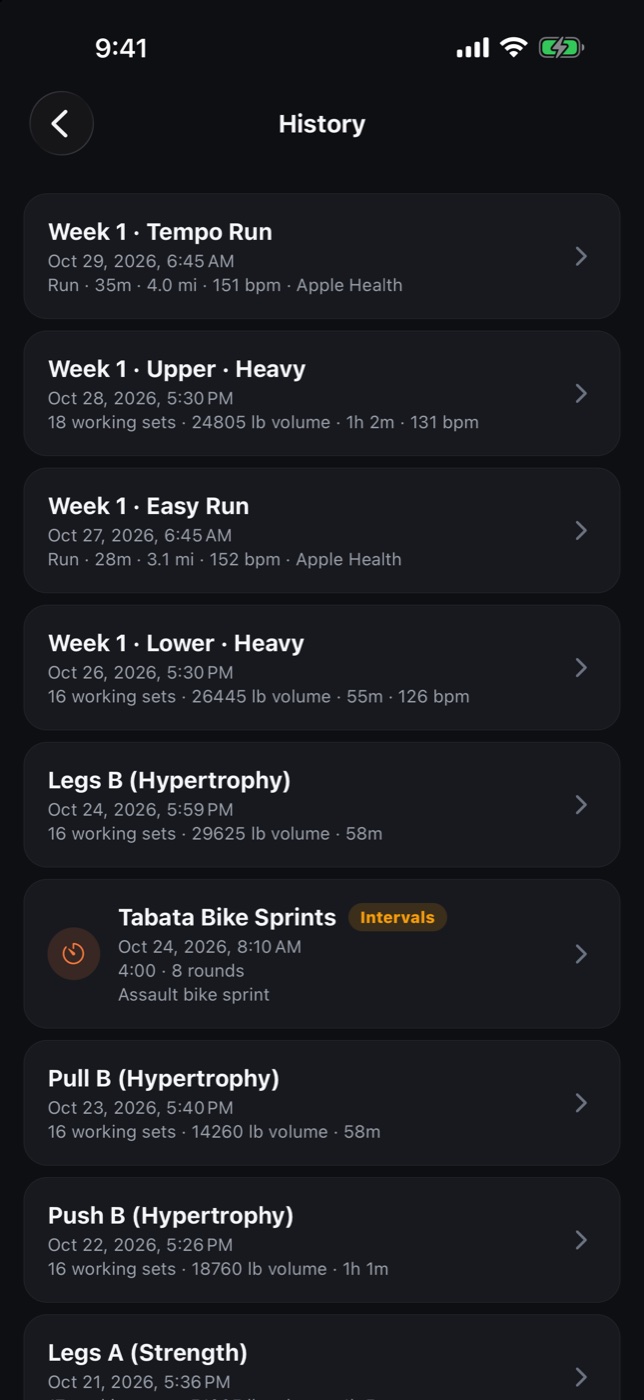
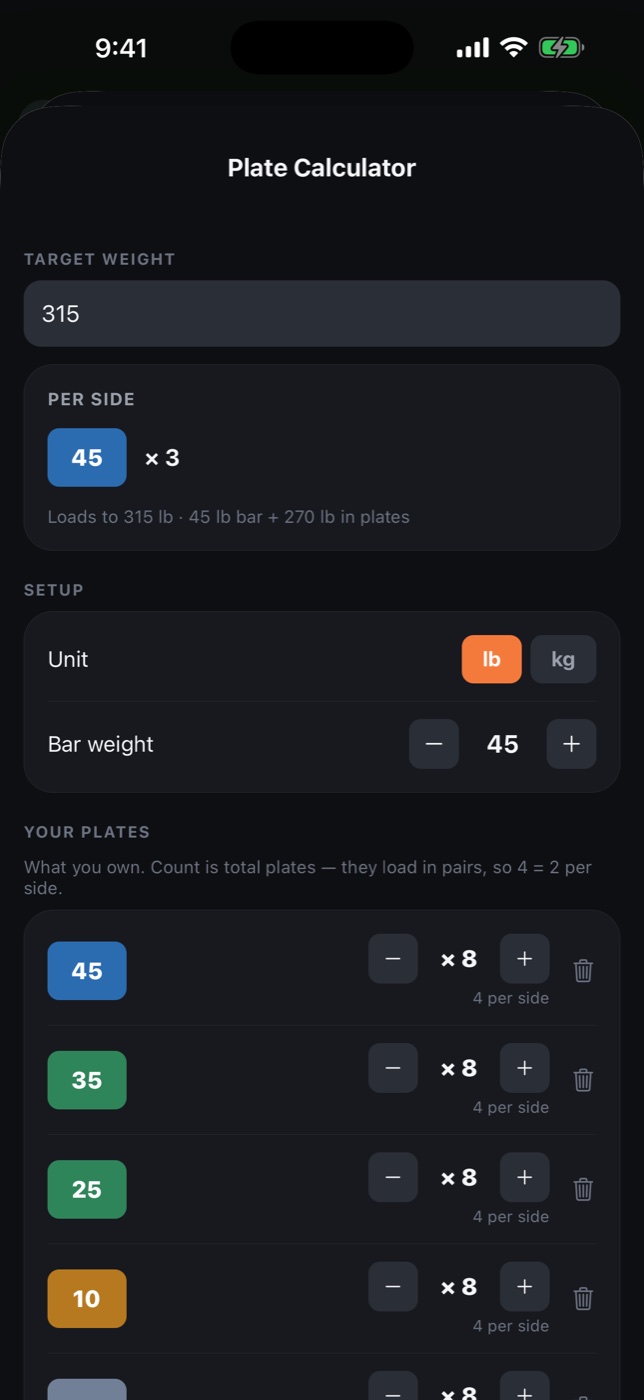
Crucible is genuinely usable for free. Log workouts, run a program, follow a running plan. Pro unlocks import, heart rate from your Apple Watch or WHOOP, and the tools for serious training.
Everything you need to run a program and log it well.
The import wedge, heart rate tracking and everything unlimited.
Also $4.99 monthly or $79.99 once for lifetime. The annual plan includes a free trial when offered. Upgrade inside the app.
A living program per athlete, every set they log beside what you prescribed, video on request, weekly check-ins. The full loop, from any browser.
Yes, two ways. Runs you record on your Watch, or in any running app, come into Crucible through Apple Health and complete the planned run. That's free and read-only. With Crucible Pro, the Crucible app for Apple Watch opens a workout with every guided run and lifting session: live heart rate and zone on your wrist and on the phone, a tap when you leave the target zone, and the workout saved to Health.
Yes, with Crucible Pro. Connect your WHOOP account once, read-only, and your WHOOP runs, rides and lifts land with heart rate and strain, planned run days complete automatically, and Home shows today's recovery, HRV, resting heart rate and sleep with a read on whether to push or ease. Turn on Broadcast Heart Rate in the WHOOP app and the band also streams live heart rate into your workouts.
Apple Watch and WHOOP. Those are the two sources Crucible is built and tested for. Other Bluetooth heart rate straps may pair, but they aren't supported.
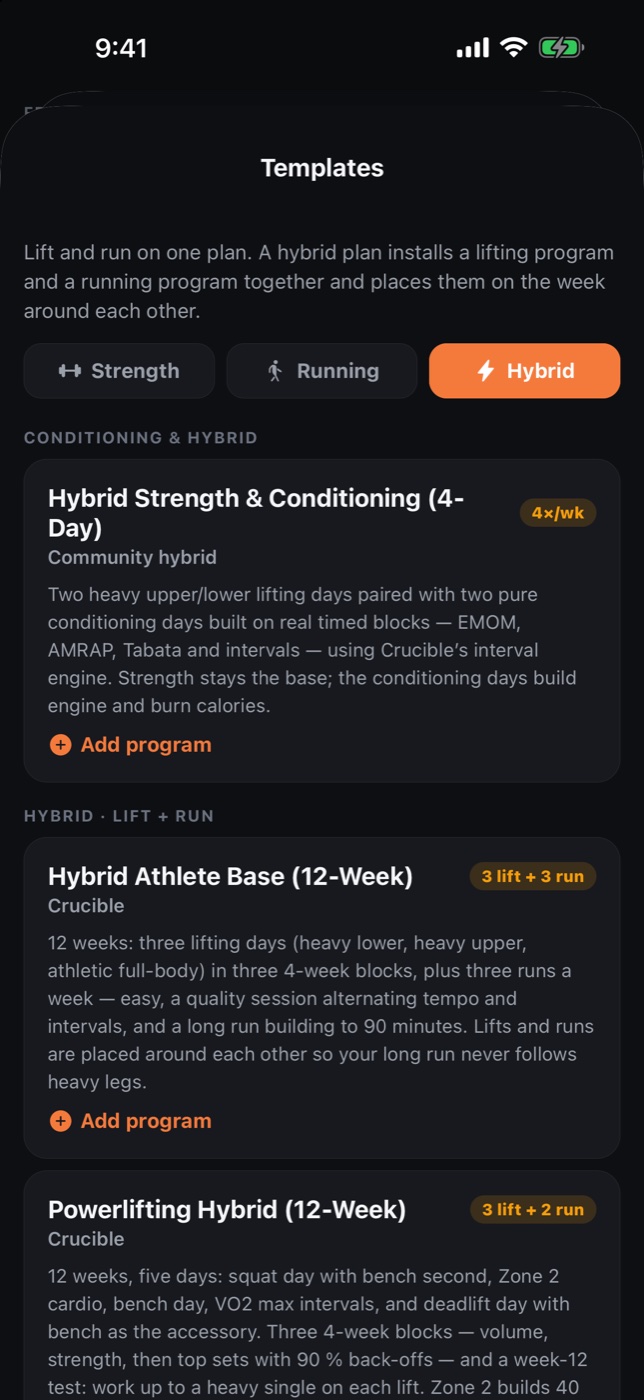
That's what hybrid training is for. Install a hybrid program, Hybrid Athlete Base (free), Powerlifting Hybrid or Race Sim Prep (Pro), or pair any lifting template with any running plan. The planner places both on your week without conflicts, Home shows whichever is up next, and Progress tracks both with one streak.
Excel (.xlsx / .xls) and CSV. Crucible detects your days, exercises, sets, rep ranges, RPE and rest, including messy real-world spreadsheets from coaches, creators and online libraries like LiftVault, and shows a review screen before saving anything. You don't need a special format: most LiftVault spreadsheets import cleanly as they come, and the review step catches the rest. Coaches and creators who want the cleanest possible import can build on the Crucible import template.
Anywhere they're written down: your coach, a template you bought, or free online libraries like LiftVault, which host classics such as 5/3/1, nSuns, PHUL, GZCLP and Reddit PPL as spreadsheets. Download one, then import the file. We link out to those libraries and never rehost their content.
Yes. You can log workouts, run a program, follow the free running and hybrid plans, import runs from Apple Health and use the conditioning engine for free. Pro unlocks spreadsheet import, heart rate tracking with Apple Watch or WHOOP, the Pro race and hybrid plans, cloud sync, advanced analytics, unlimited programs, all-time history and CSV export.
Completely. Crucible is local-first. Your data lives on your device and the app works with no account and no connection. Cloud sync is optional, for backup and using Crucible across devices.
Your training data is yours. No ads, no selling data, no third-party analytics or trackers. Apple Health and WHOOP are read-only and optional. You can export everything to CSV any time and delete your account and synced data from inside the app. The details are in the privacy policy.
Not yet. Crucible is on the iPhone App Store today. Leave your email below and we'll tell you when Android lands.
Crucible is coming soon to iPhone. Join the waitlist and we'll email you the day it's live.
Bring your program, add your runs, wear what you already wear. Crucible is free on the App Store.
Not on iPhone? Leave your email for the Android launch.